
Refunds are available from the Attendees list, but what you're allowed to do depends on your role.
What box office staff can process
Box Office can refund cash, up to $100 per ticket, back to the customer directly. That's it — anything larger, or any card refund, needs a venue admin.
From AdminEvents → the event → Attendees, find the ticket and open Refund Ticket.
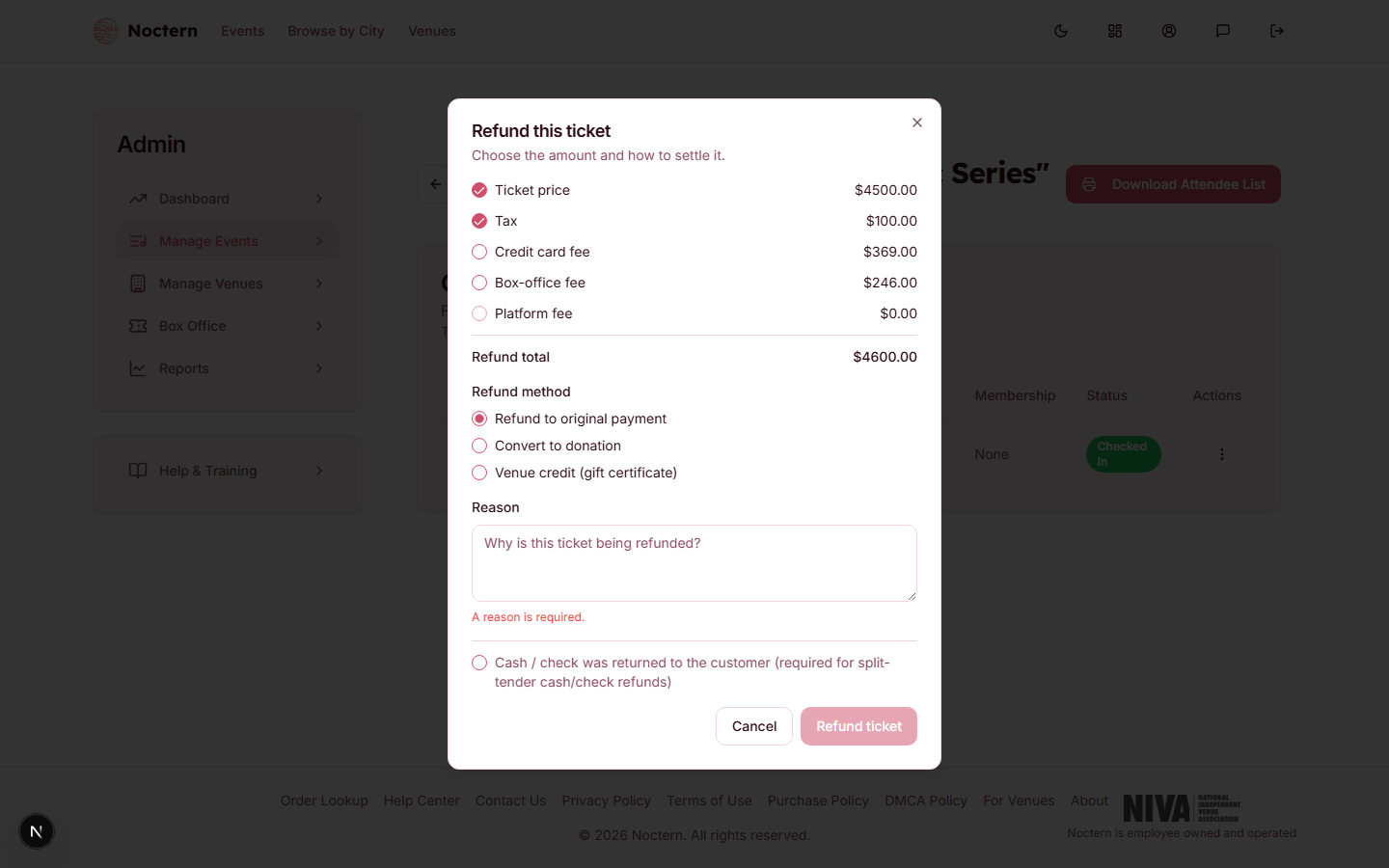 1Refund to original payment2Convert to donation3Venue credit (gift certificate)
Refund dialog showing the refund method options Enter a reason — the dialog requires one before you can submit, for every role.
Choose the method and confirm.
Refund methods
- Refund to original payment — for a cash order, this returns cash; you must check Cash / check was returned to the customer to confirm you physically handed the money back.
- Convert to donation — venue-admin only. Box office sees: "Converting a refund to a donation requires a venue admin."
- Venue credit (gift certificate) — venue-admin only. Box office sees: "Converting a refund to venue credit requires a venue admin."
A cash refund over $100 is blocked with "Cash refunds over $100 require a venue admin." There's no override — hand it off.
Any card refund is blocked for box office with "Card refunds require a venue admin." Box office cannot touch the original card payment at all.
Multi-tender orders
If the original order was paid with more than one tender (see Splitting payment across multiple tenders), a refund is allocated proportionally across all the tenders by default — you don't need to pick which tender to refund from unless a venue admin specifically targets one.
After the refund
The ticket's status becomes Refunded and its seat is released for resale immediately.